
Download TeleTwitter – Free Desktop Twitter Client for Windows
Overview
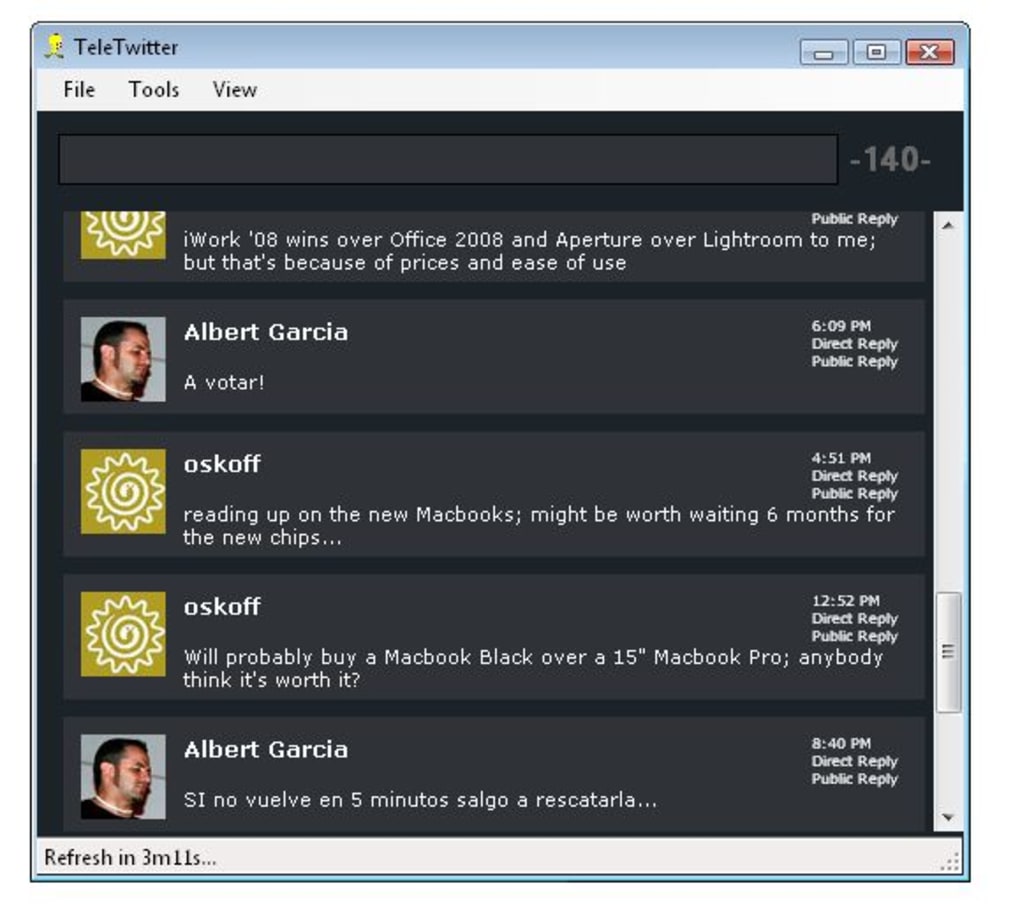
TeleTwitter is a lightweight desktop client built on the Adobe AIR platform that lets you stay connected to Twitter without opening a browser. Designed specifically for Windows users, TeleTwitter offers a clean, single‑pane interface where you can watch the latest tweets from the people you follow. The app automatically refreshes your timeline, so you always see fresh content the moment it’s posted.
While it doesn’t let you compose or read your own tweets, it excels at providing a fast, distraction‑free view of your friends’ updates directly from the desktop. The program runs silently in the background, consumes minimal system resources, and updates the timeline in real time. TeleTwitter is ideal for users who simply want to monitor their Twitter feed while working on other applications, and it can be a handy alternative to browser tabs that constantly compete for attention.
However, it does have a few quirks – entering an incorrect password can cause the client to freeze, and the hidden menu bar can become inaccessible. Despite these limitations, TeleTwitter remains a solid, free solution for anyone who wants a basic Twitter viewer that lives on the Windows desktop.
Key Features and Core Functionality
- Real‑time timeline updates from the accounts you follow.
- Sleek, Adobe AIR‑based interface that blends with Windows aesthetics.
- Automatic background refresh to keep your feed current without manual reloads.
- Simple text field for posting status updates to your own Twitter account.
- Lightweight footprint – uses far less RAM than a full browser session.
- Customizable notification settings for new tweets.
TeleTwitter’s primary strength lies in its simplicity. The moment you launch the application, you are greeted by a scrollable list that displays the most recent tweets from everyone you follow. The UI is intentionally minimal: a single column shows the tweet text, the author’s handle, and a timestamp, while a compact toolbar at the top gives you quick access to “Refresh,” “Post,” and “Settings.” Because it’s built on Adobe AIR, the client can be updated automatically through the AIR runtime, ensuring you always have the latest bug fixes without needing to download a new installer.
The posting feature, although basic, allows you to type a tweet (up to 280 characters) and send it with one click. Unfortunately, TeleTwitter does not retrieve your own tweets after posting, which means you cannot view replies or retweets in the same window. For users whose main goal is to keep an eye on what friends are saying, this limitation is often acceptable. The application also supports desktop notifications, so you can receive a pop‑up alert whenever a new tweet appears in your feed. This is especially useful for professionals who need to monitor brand mentions or breaking news without constantly checking a web browser.
Installation, Setup, and Compatibility
Step‑by‑Step Installation Guide
1. Download the installer: Visit the official TeleTwitter download page and click the “Download for Windows (Free)” button. The file will be an .exe that contains the Adobe AIR runtime if you don’t already have it installed.
2.
Run the installer: Double‑click the downloaded file and follow the on‑screen prompts. The wizard will first install Adobe AIR (if needed) and then copy TeleTwitter files to C:\Program Files\TeleTwitter.
3. Launch the application: After installation, you can start TeleTwitter from the Start menu or a desktop shortcut.
The first launch will ask for your Twitter credentials.
4. Authorize the app: Enter your Twitter username and password. TeleTwitter uses OAuth through the official Twitter API, so you will be redirected to a secure authentication page.
Grant the required permissions and return to the client.
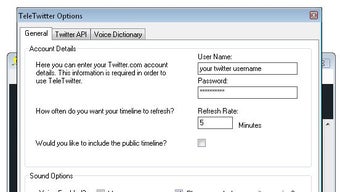
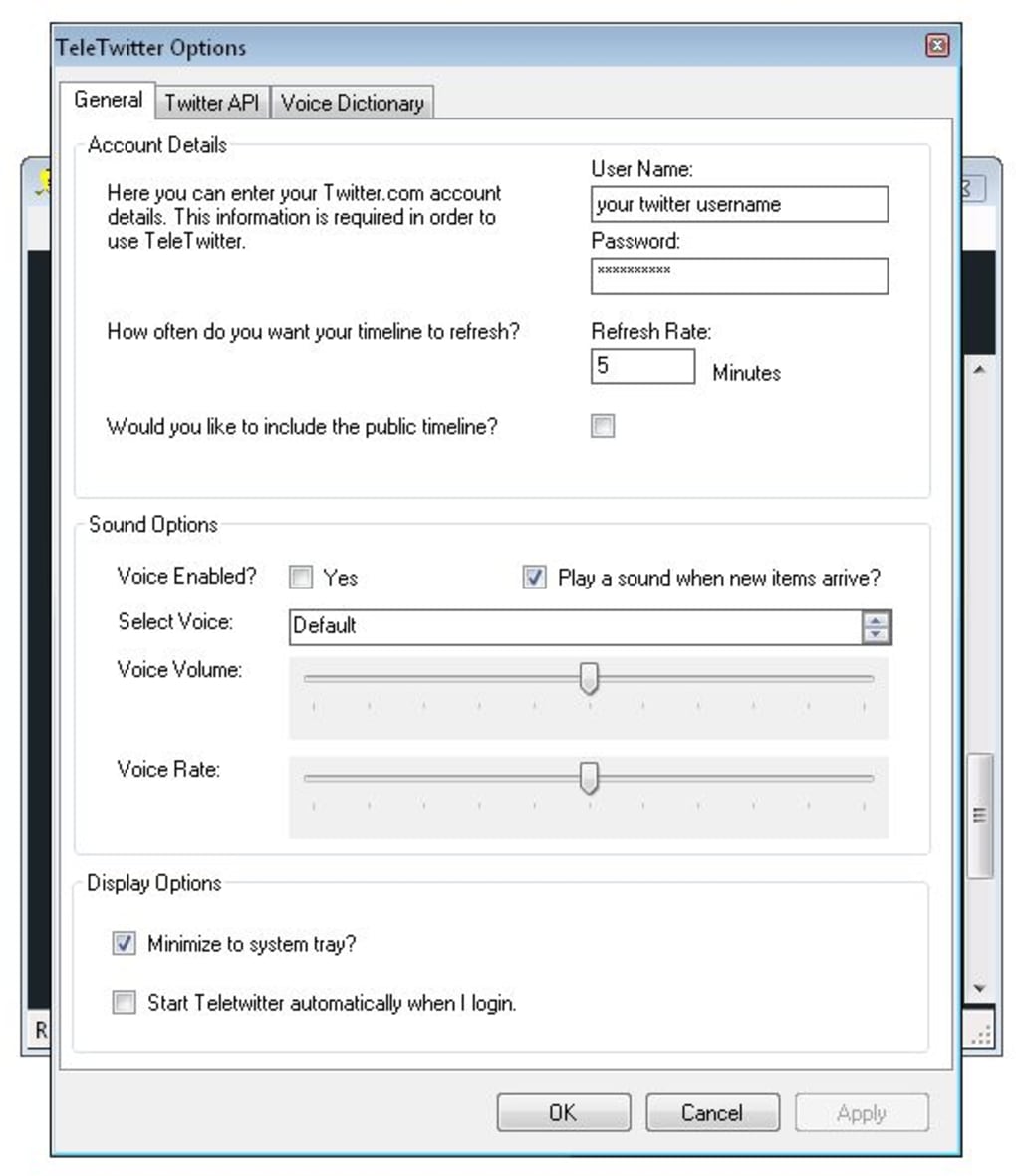
5. Configure preferences: Open the Settings menu (the gear icon) to adjust refresh intervals, enable/disable desktop notifications, and choose whether the client starts with Windows.
System Requirements and Operating System Support
TeleTwitter runs on Windows 7, Windows 8, Windows 10, and Windows 11. Because it relies on Adobe AIR, the minimum system requirement is a 1 GHz processor, 512 MB of RAM, and at least 50 MB of free disk space for the application files. The client is not officially available for macOS, Linux, Android, or iOS. Users on those platforms can consider alternative AIR‑based Twitter clients such as TwitBox or Twhirl, which offer similar functionality across multiple operating systems.
The installation process is straightforward, and the installer checks for the latest Adobe AIR version automatically. If you already have AIR installed, the setup will skip that step and proceed directly to copying the TeleTwitter files. After installation, the program creates a small background service that handles timeline updates, ensuring you always see fresh tweets even when the main window is minimized.
Pros, Cons, and Comparative Review
Pros
- Free and lightweight – ideal for low‑end PCs.
- Real‑time timeline refresh keeps you up to date.
- Simple interface that stays out of the way while you work.
- Desktop notifications for new tweets.
- Automatic updates via Adobe AIR.
Cons
- Cannot read your own tweets after posting.
- Multiple account management is not supported.
- Application may freeze if an incorrect password is entered.
- Hidden menu bar can become inaccessible, reducing usability.
- Only available for Windows; no macOS or mobile versions.
Compared with other free desktop Twitter clients like TwitBox or Twhirl, TeleTwitter is the most stripped‑down option. TwitBox offers multi‑account support, full tweet reading, and richer media handling, while Twhirl adds advanced search and column layouts. If you need a full‑featured client, those alternatives are worth exploring. However, for users whose sole purpose is to monitor friends’ tweets without extra bells and whistles, TeleTwitter delivers a fast, no‑frills experience that consumes virtually no CPU or memory.
Frequently Asked Questions
Is TeleTwitter still receiving updates?
Yes. The developer releases minor updates through the Adobe AIR runtime. These updates mainly address security patches and occasional bug fixes, such as the menu‑bar visibility issue.
Can I use TeleTwitter on a Mac?
No. TeleTwitter is built exclusively for Windows. Mac users should consider alternatives like TwitBox for macOS or Twhirl, which are also based on Adobe AIR and work cross‑platform.
Does TeleTwitter store my password securely?
The application uses Twitter’s OAuth authentication, so your password is never stored locally. Only an access token is saved, which can be revoked from your Twitter account settings at any time.
Why does the program freeze after entering a wrong password?
This is a known bug in the current version of TeleTwitter. The freeze occurs because the authentication request does not return an error code to the UI thread. Updating to the latest AIR runtime or installing the next patch typically resolves the issue.
Can I hide the TeleTwitter window and keep it running in the background?
Yes. Clicking the minimize button sends the client to the system tray. You can right‑click the tray icon to restore the window, change settings, or exit the application.
Final Verdict – Should You Download TeleTwitter?
If your only need is a free, lightweight desktop client that constantly streams the latest tweets from the accounts you follow, TeleTwitter is a solid choice. Its real‑time updates, minimal CPU usage, and simple posting field make it perfect for users who want to keep Twitter in sight while they work on other tasks. However, if you require multi‑account management, the ability to read and interact with your own tweets, or a cross‑platform solution, you’ll likely be better served by more feature‑rich alternatives like TwitBox or Twhirl.
Ready to give TeleTwitter a try? Download TeleTwitter now and enjoy a hassle‑free Twitter experience right from your Windows desktop.







